
This release delivers a range of improvements and new capabilities across XOAP, with a strong focus on usability, extensibility, and operational efficiency.
Key highlights include enhanced version transparency, the introduction of the new Inventory as a central management hub for devices, expanded command and application management features, and significant updates to the XOAP Connector.
General #
Version descriptions #
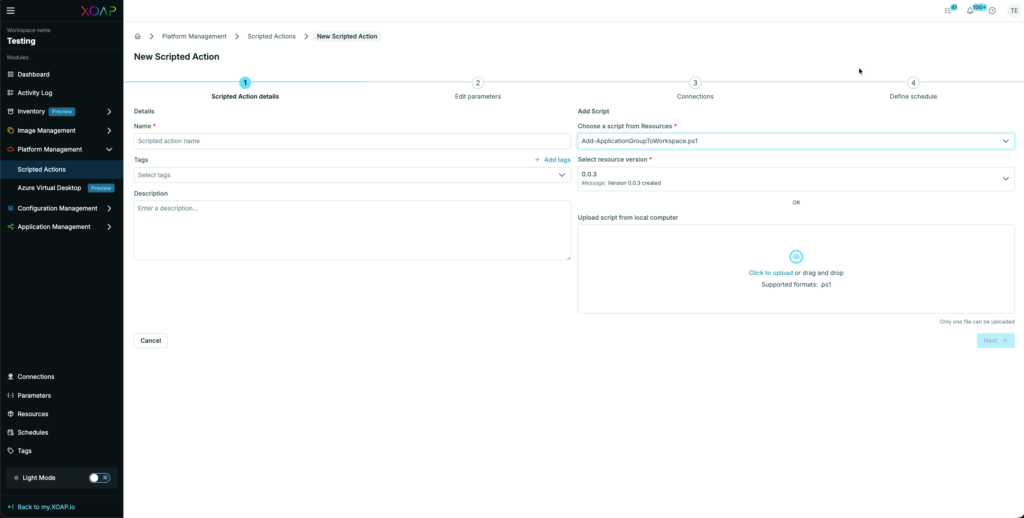
We added version descriptions to all version drop-downs for better identification specific version changes.
Inventory #
Our new Inventory is the new home for all Devices registered with an XOAP Connector. It enables running operational tasks from a central management interface, independent of the location your Devices are located.
Commands Library #
You can store commands for later use and edit them the same way we support editing resources, including versioning, access to previous versions and download of the commands.
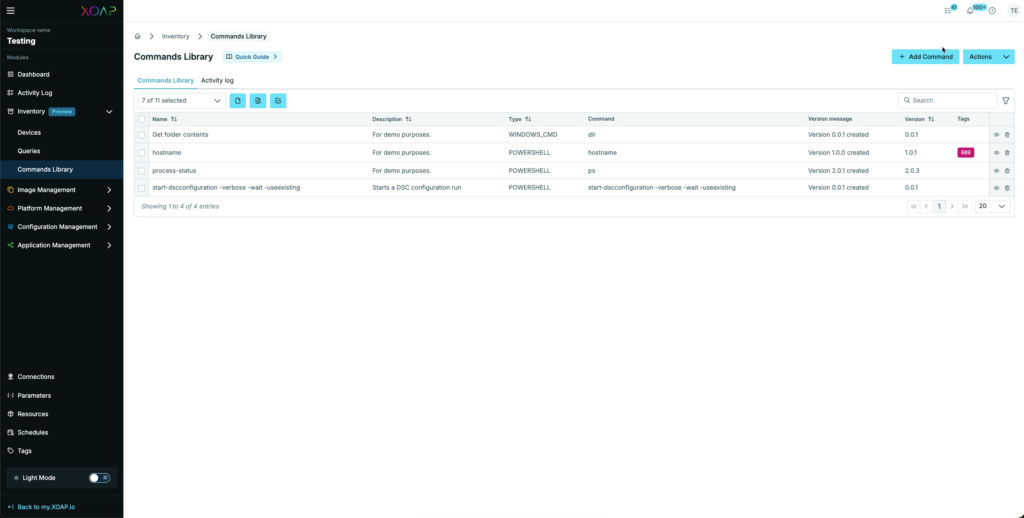
Running a saved command:

Application Management #
PSADT v4 Support #
We added support for the latest PSADT v4 packages. You can now upload and deploy your v4 packages in the same way as you did with v3.
Extended support for BYO PSADT packages (v3 and v4) #
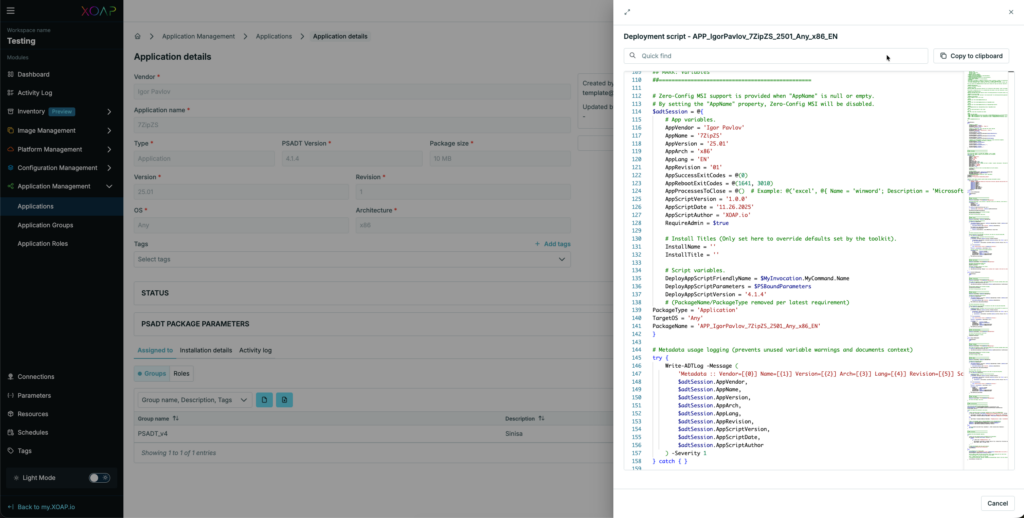
As XOAP is using some custom functions to identify correct installation on nodes with PSADT script extensions, we are now adding those extensions automatically during PSADT upload. The same applies to some of the parameters we are using for extended functionality.
This enables customers to upload almost all of their previously created PSADT v3 and v4 packages without prior adjustments, as long as they comply with the PSADT standards.
Extension scripts #
We are adding two functions as extensions during application upload:
Post-installation #
Register-Installation
Writes the application parameters into the registry (SOFTWARE/PSADT) to identify applications that were installed.
Post-uninstallation #
UnRegister-Installation
Adds specific registry information to the packages which gives XOAP the opportunity to identify if the package was uninstalled.
Adding parameters #
We are using some special parameters for additional functionality inside of XOAP. Therefore we are adding some specific parameters to the installation scripts during upload, if they are not present inside the packages:
PackageType = ‘Application’
TargetOS = ‘Any’
PackageName = ‘APP_IgorPavlov_7ZipZS_2501_Any_x86_EN’
The PackageName parameter is dynamically created based on the application parameters inside the package.
The currently available XOAP PSADT Package Wizard is not supporting v4 packages and we are not planning to implement it there.
Group details page #
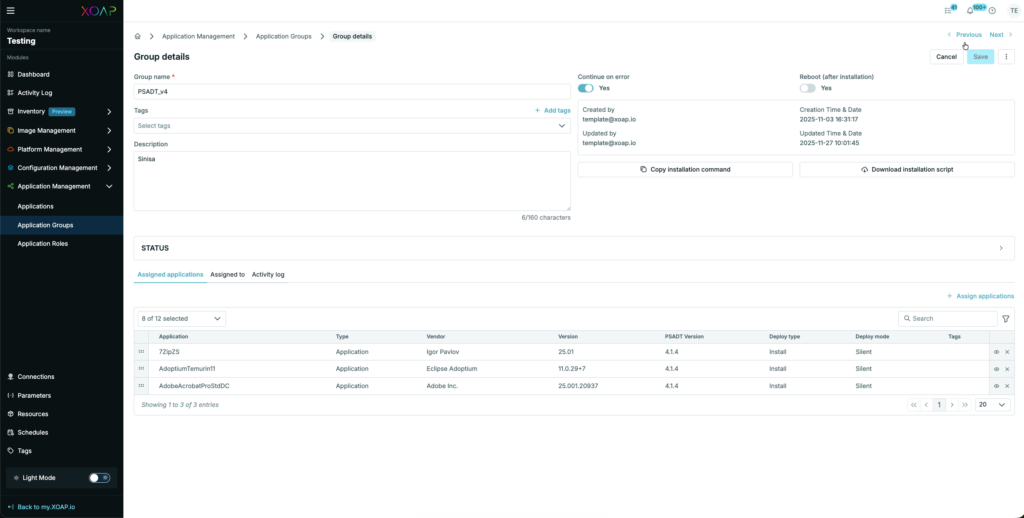
Added additional information in Group details page: Deploy Type and Deploy mode.
Connections #
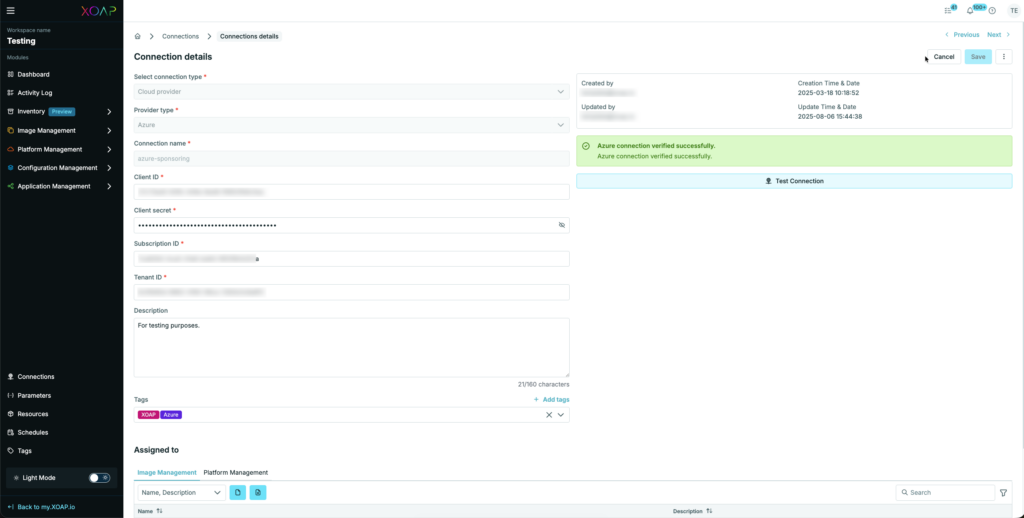
We added a test connection capability for Azure, AWS and Google which makes verification of added connections an easy step.
XOAP Connector #
Automatic Connector update during installation #
We added a switch to the installation of the Connector, which automatically fetches the latest version from our GitHub repository located at: https://github.com/xoap-io/xoap-connector.
Installation sources and command line parameters #
We added more information regarding the direct installation of the XOAP Connector from GitHub.

XOAP Connector command line parameters #
This is a list of currently available command line parameters:
Mandatory #
-i (–install), installs the Connector
-a (–apiKey), specifies the APIKey to connect to the XOAP Workspace
-w (–workspace), specifies the XOAP Workspace ID, the Connector should connect to
Optional #
-m (–imageManagement), additionally installs packer on Windows and supported Linux distributions
-u (–update), fetches the latest available Connector binaries from GitHub
-p (–path), default value “C:Program FilesXOAPConnector”, “/opt/XOAP/Connector” on Linux and Mac
-?, Shows available parameters
Preview of Linux Agent #
List of tested distributions:
- Ubuntu 24.04, 22.04
- Rocky 10 Linux
- Alma Linux
- Fedora 43 Linux