Table des matières
La gestion des AWS WorkSpaces peut s'avérer complexe, mais avec les outils d'automatisation et de configuration de XOAP, vous pouvez simplifier le processus, de la configuration du système à la livraison des applications.
Les défis courants tels que l'automatisation de la création de bundles pour Windows 11, la mise à l'échelle de WorkSpaces dans un pool et la supervision de l'ensemble du système ajoutent à la difficulté. Cet article vous guidera pour simplifier ces tâches et bien d'autres, vous aidant ainsi à prendre le contrôle de vos AWS WorkSpaces sans complexité inutile.
Avant de commencer : Définissez vos WorkSpaces AWS
Lorsque vous travaillez avec Amazon WorkSpaces, une planification claire est essentielle. Commencez par définir les composants critiques nécessaires pour chaque espace de travail.
Sélectionnez le système d'exploitation (SE)
Commencez par choisir le système d'exploitation approprié pour chaque espace de travail. AWS prend actuellement en charge :
- Windows 10 et Windows 11
- Distributions Linux telles qu'Amazon Linux 2 et Ubuntu (20.04 / 22.04 LTS)
Avec XOAP, le choix du système d'exploitation peut être standardisé entre les environnements et automatisé pour assurer la cohérence.
Définir les normes de sécurité et de renforcement
Ensuite, définissez vos paramètres de sécurité afin que chaque espace de travail soit renforcé conformément aux exigences de votre organisation. Ces paramètres peuvent être appliqués automatiquement, y compris les politiques de conformité.
En matière de conformité, les organisations devraient s'aligner sur des cadres tels que :
- Center for Internet Security (benchmarks CIS)
- Guides de mise en œuvre technique de sécurité (STIG)
Celles-ci aident à protéger les informations sensibles et à satisfaire aux exigences réglementaires.
Décidez quelles applications vous souhaitez déployer
Une fois les composants de sécurité définis, choisissez les logiciels que vous souhaitez installer, tels que Office, Adobe Reader ou des outils de compression. Ceci sera important pour définir les normes de packaging ultérieurement.
Sachez combien de locataires vous gérerez
Envisagez-vous de gérer un seul locataire AWS ou plusieurs ? De nombreuses organisations et MSP gèrent plusieurs environnements (DEV, QA, PROD) ou clients. XOAP permet la gestion centralisée de tous ces environnements AWS WorkSpaces à partir d'une seule interface.
Comment gérer vos AWS WorkSpaces avec XOAP
1. Configurer les systèmes avec Configuration Management
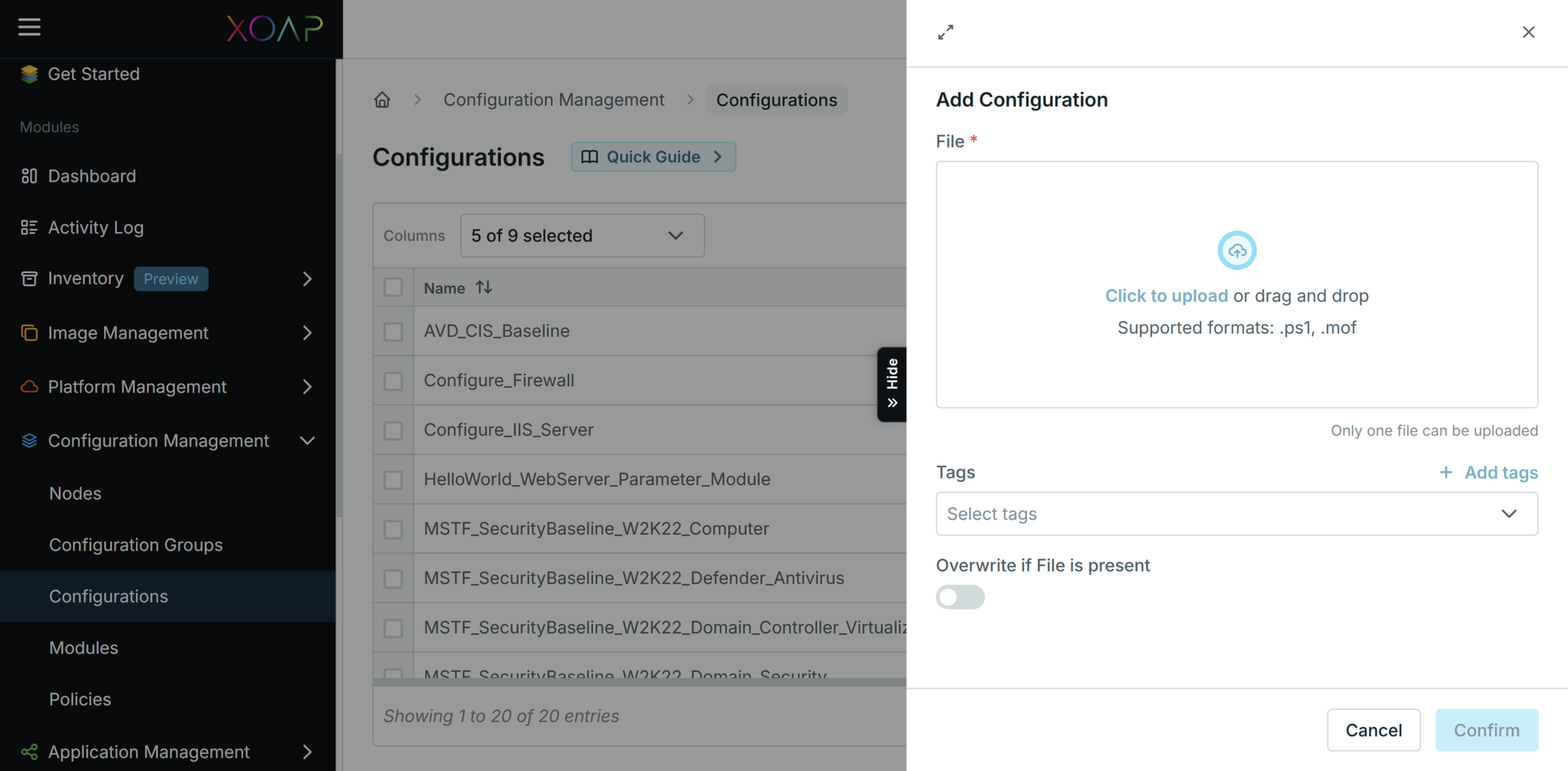
Une fois vos définitions AWS WorkSpaces configurées, il est temps d'uniformiser les configurations à l'aide de Configuration Management.
Il assure la cohérence entre tous les espaces de travail, éliminant la dérive de configuration et réduisant les erreurs. Au lieu de configurer manuellement chaque espace de travail :
- Définir les configurations une seule fois
- Appliquez-les à tous les environnements
- Déployer automatiquement les mises à jour, les correctifs et les changements de politique
Vous pouvez également valider des configurations à l'aide d'outils de test. Lors d'une montée en puissance, l'infrastructure à la demande d'AWS vous permet de vous étendre de manière transparente.
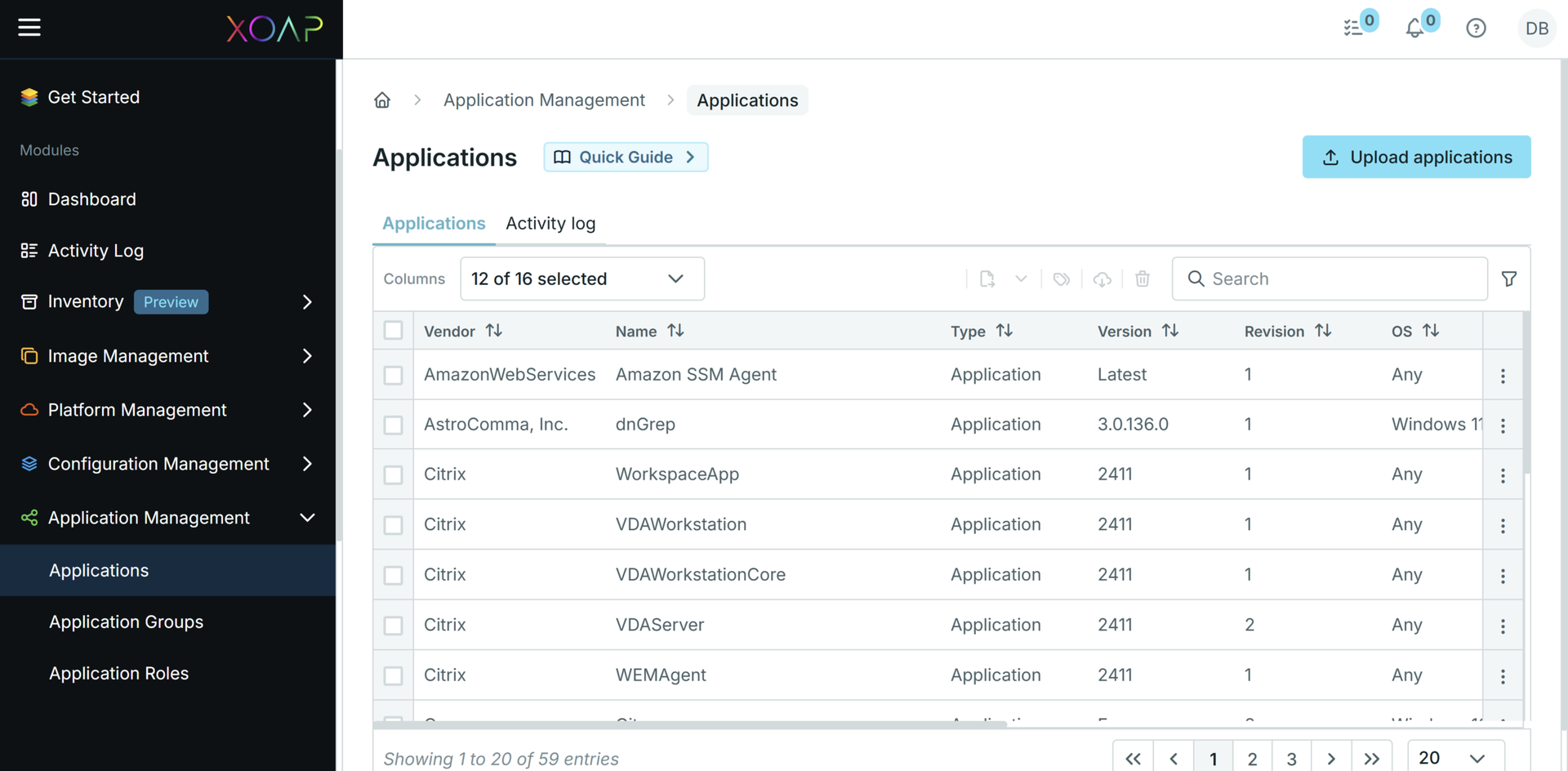
2. Déployer des applications avec Application Management
La gestion des applications dans AWS WorkSpaces peut être complexe en raison de :
- Exigences de sécurité et de conformité
- Considérations de performance
- Gestion des dépendances
- Défis de connectivité
Avec Application Management, vous pouvez :
- Empaqueter les applications une fois
- Déployez-les dans tous les espaces de travail
- Grouper le logiciel par rôles
- Définir les dépendances et l'ordre d'installation
Cela élimine les problèmes courants tels que les installations incohérentes, les performances médiocres ou les conflits d'intégration.
3. Tout automatiser avec Platform Management
Les processus manuels ne sont pas évolutifs et augmentent le risque d'erreurs.
Platform Management vous permet d'automatiser et de planifier des tâches à l'aide des éléments suivants :
- Scripts PowerShell
- Interfaces en ligne de commande (CLI)
Avec lui, vous pouvez :
- Créer, modifier ou supprimer automatiquement des espaces de travail
- Planifier les opérations de routine
- Surveiller les journaux d'exécution et l'historique des tâches
Cela offre une visibilité complète de votre environnement et permet de résoudre rapidement les problèmes.
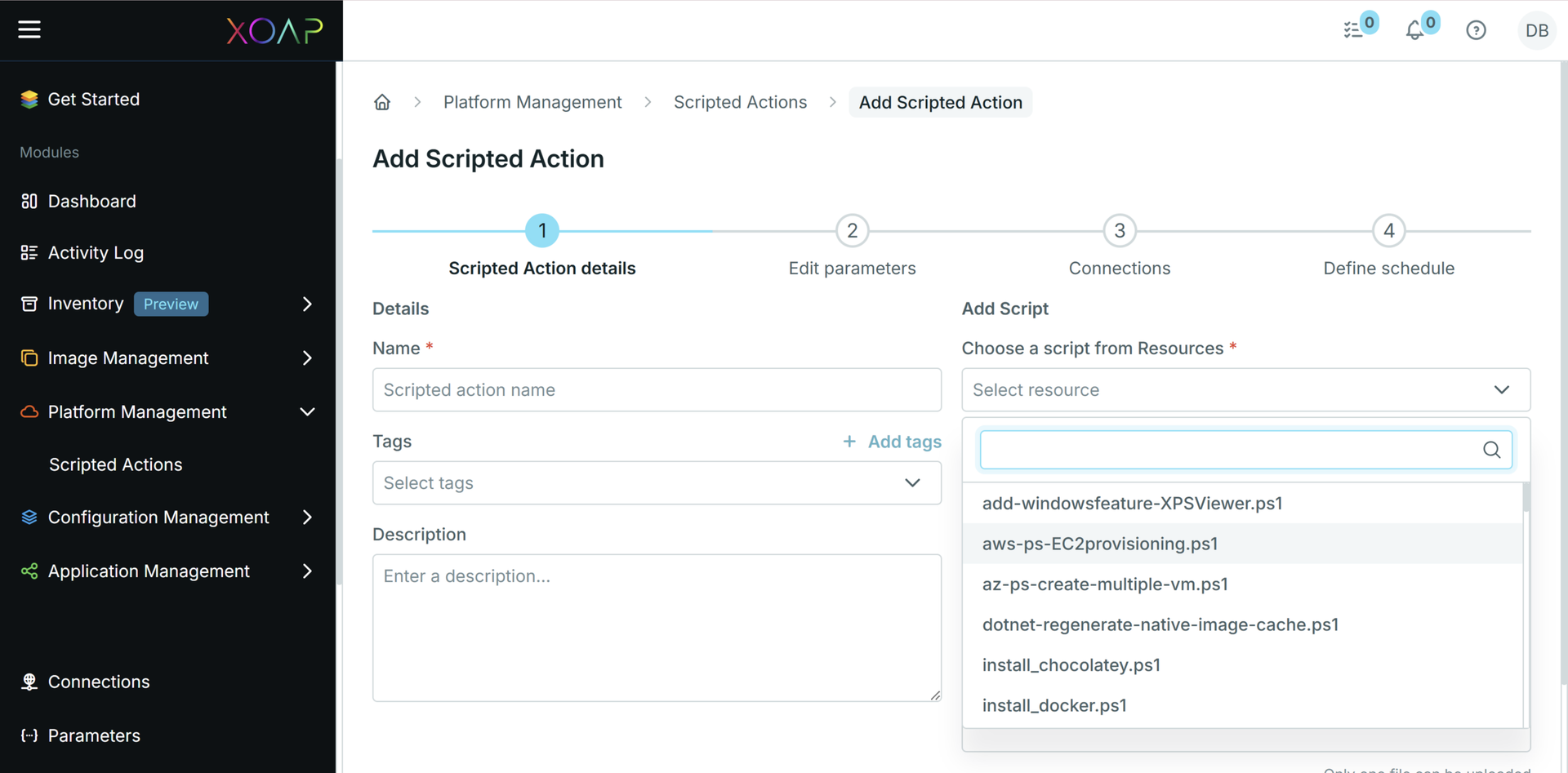
Scripts d'automatisation
Vous pouvez utiliser des scripts pré-construits comme point de départ pour automatiser AWS WorkSpaces. Personnalisez-les en fonction de votre environnement et de vos besoins opérationnels.
Commencez à gérer AWS WorkSpaces gratuitement
Combien de temps encore pouvez-vous vous permettre de gérer AWS WorkSpaces sans visibilité et contrôle unifiés ?
XOAP simplifie l'ensemble du cycle de vie :
- Configuration Management → définir des configurations système réutilisables
- Application Management → automatiser la mise à disposition cohérente des logiciels
- Platform Management → automatisation des opérations via des scripts et l'interface en ligne de commande (CLI)
En combinant ces éléments, vous pouvez standardiser et automatiser chaque étape de la gestion de vos AWS WorkSpaces.