Table des matières
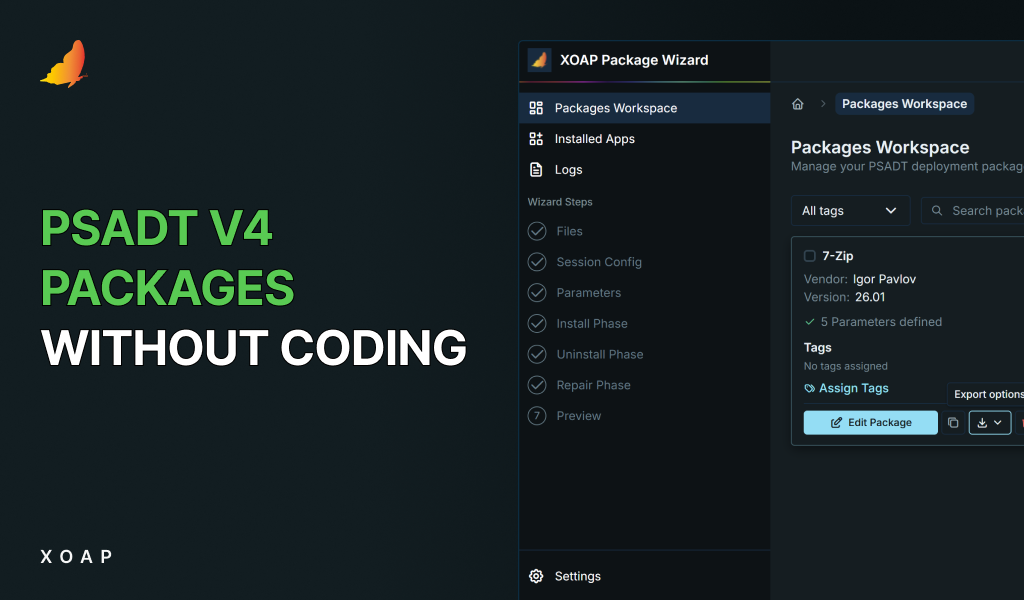
Pour un tutoriel sur le Assistant de package XOAP pour PSADT v4, regarde la vidéo promenade.
Dans les environnements de grande taille, les installations manuelles traditionnelles d'applications peuvent être longues et sujettes aux erreurs. Ce blog explore les avantages de l'utilisation des packages Citrix VAaD, créés avec PSADT-Assistant de packages et déployé via XOAP, pour automatiser et rationaliser le processus d'installation. L'utilisation de XOAP pour le déploiement garantit la cohérence entre les clients, réduit les efforts manuels et accélère le processus.
Ce blog fournit une Guide étape par étape pour automatiser et gérer les installations Utilisez les packages Citrix VAaD PSADT et XOAP. Suivez ces instructions pour rationaliser le processus d'installation et permettre une gestion centralisée pour des déploiements plus rapides et plus efficaces.
Comment automatiser les installations avec VAaD PSADT et XOAP
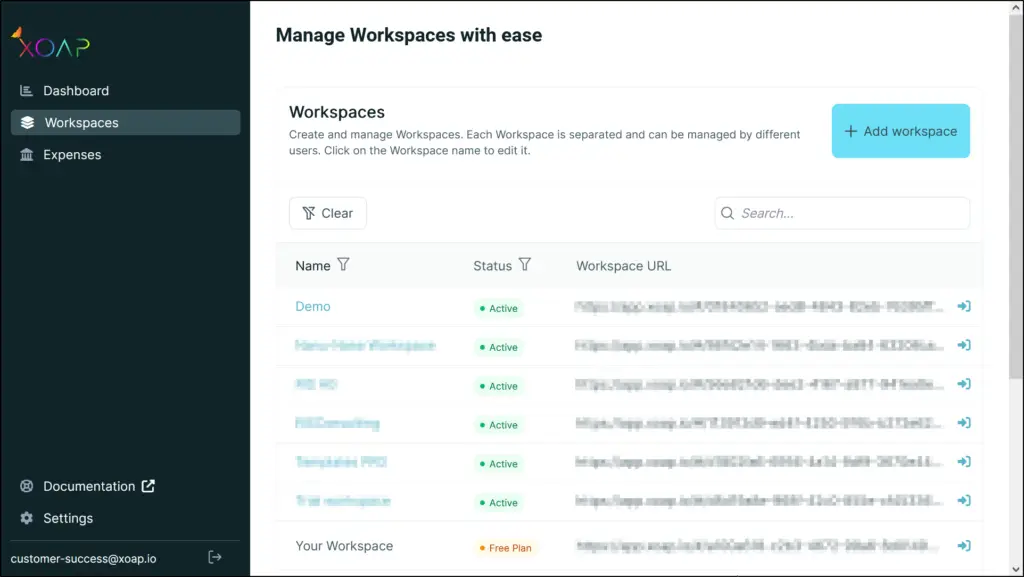
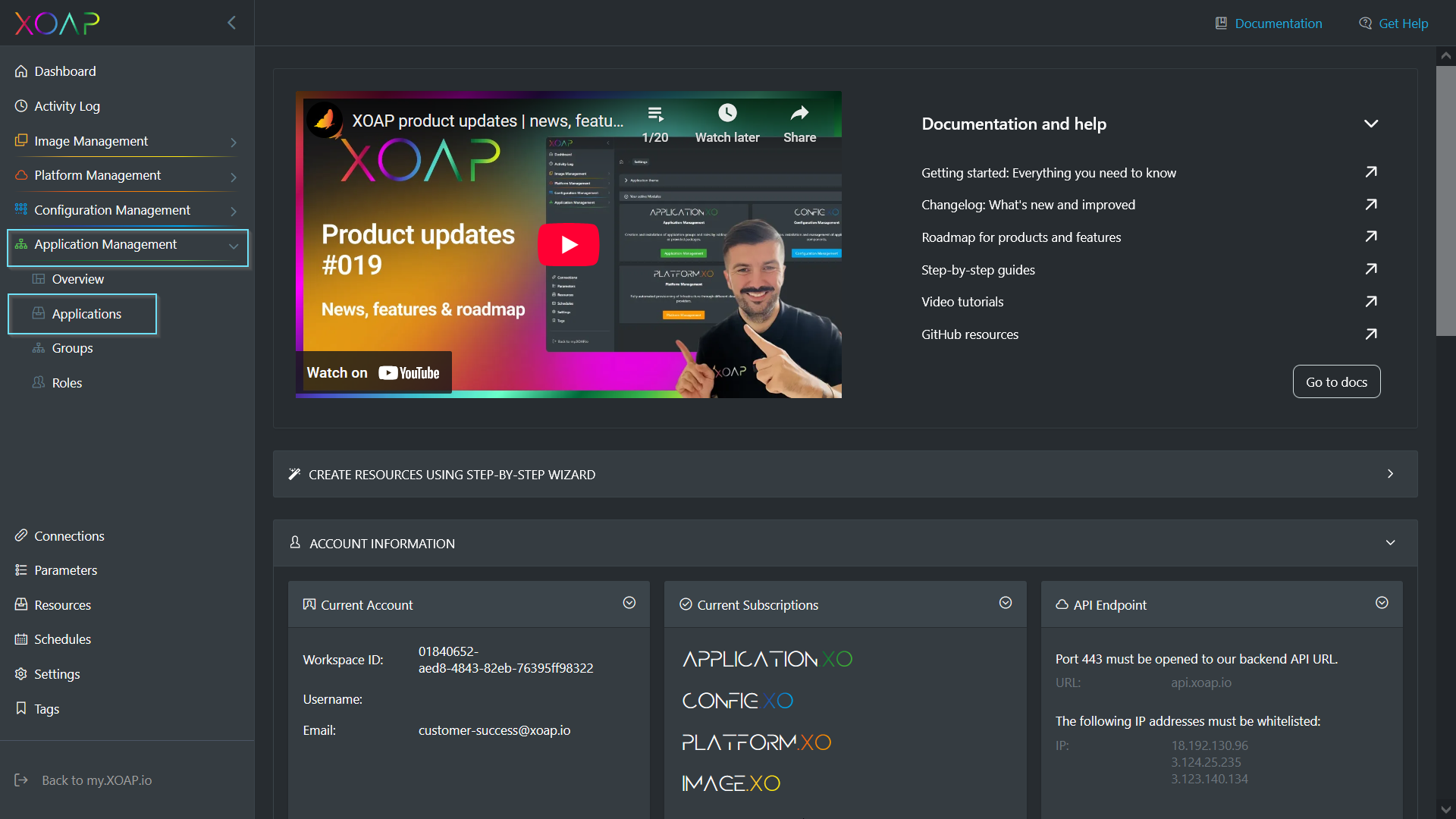
À gauche, sous “ Application Management ”, sélectionnez l'onglet “ Applications ”.
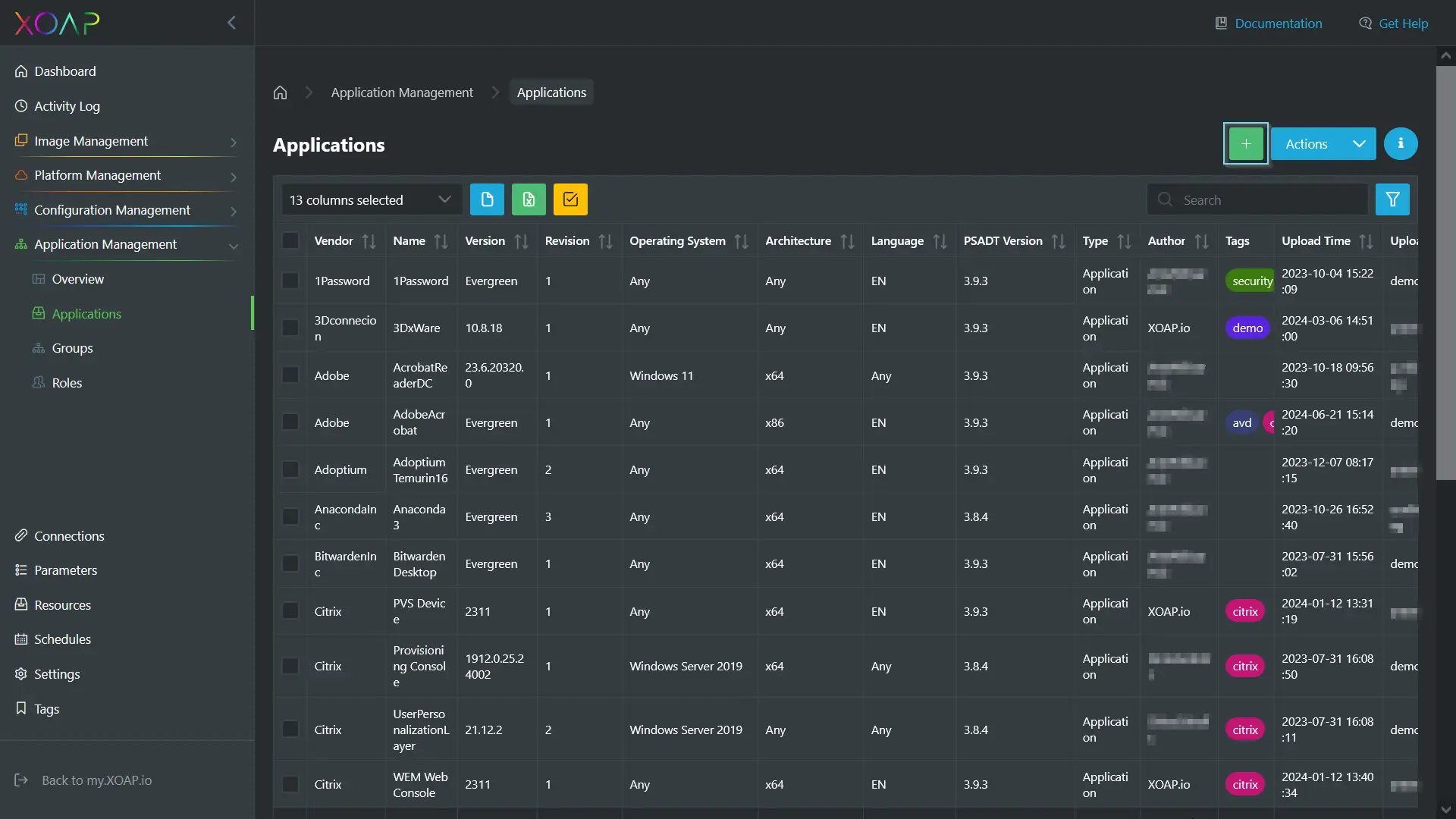
Pour télécharger un package d'application sur XOAP, cliquez sur le vert + bouton. Vous pouvez sélectionner manuellement le fichier de package Citrix au format zip ou l'ajouter par glisser-déposer.
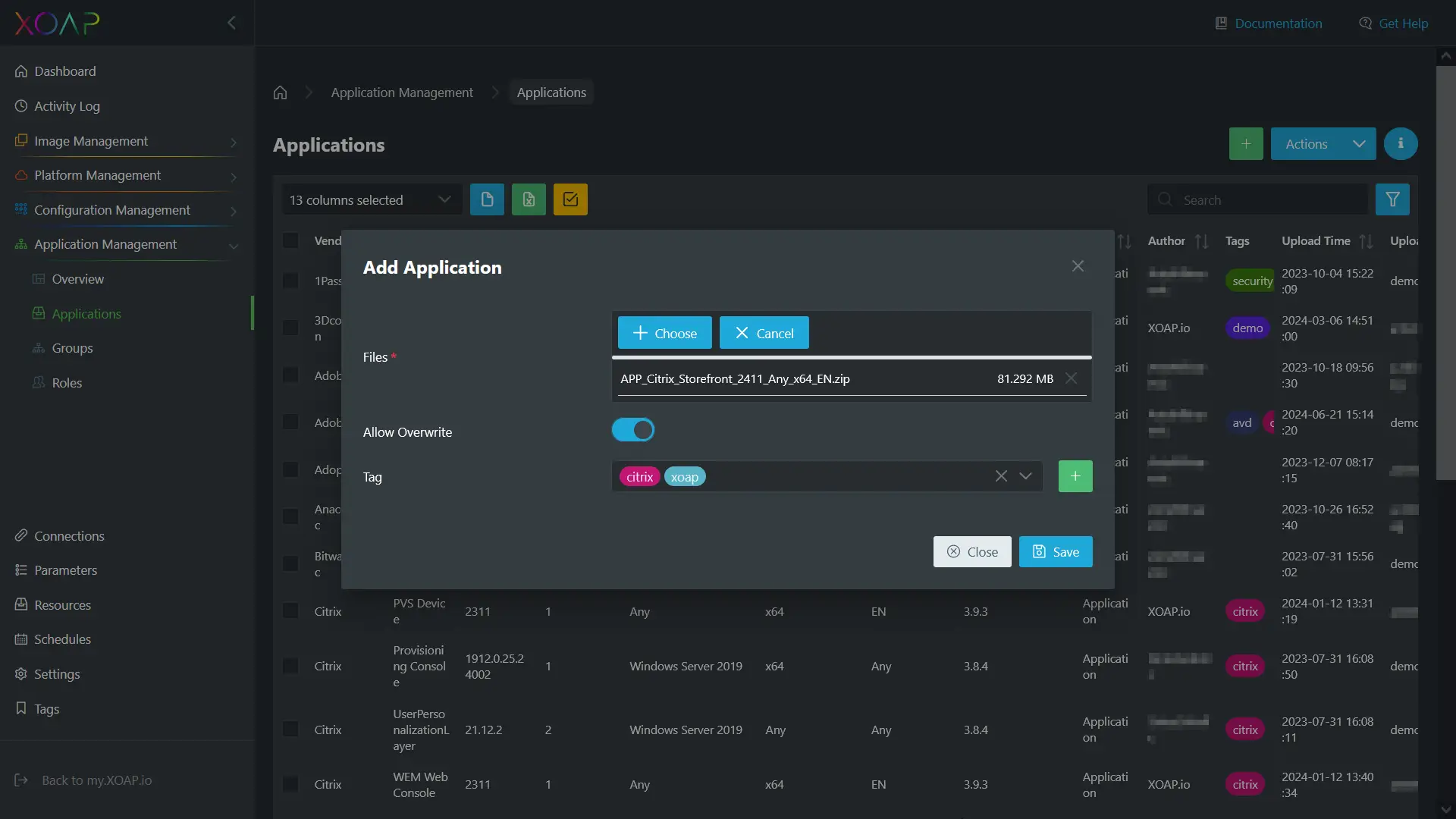
Si nécessaire, utilisez le “Écraser” option de remplacer les anciennes versions. De plus, vous pouvez spécifier des balises pertinentes.
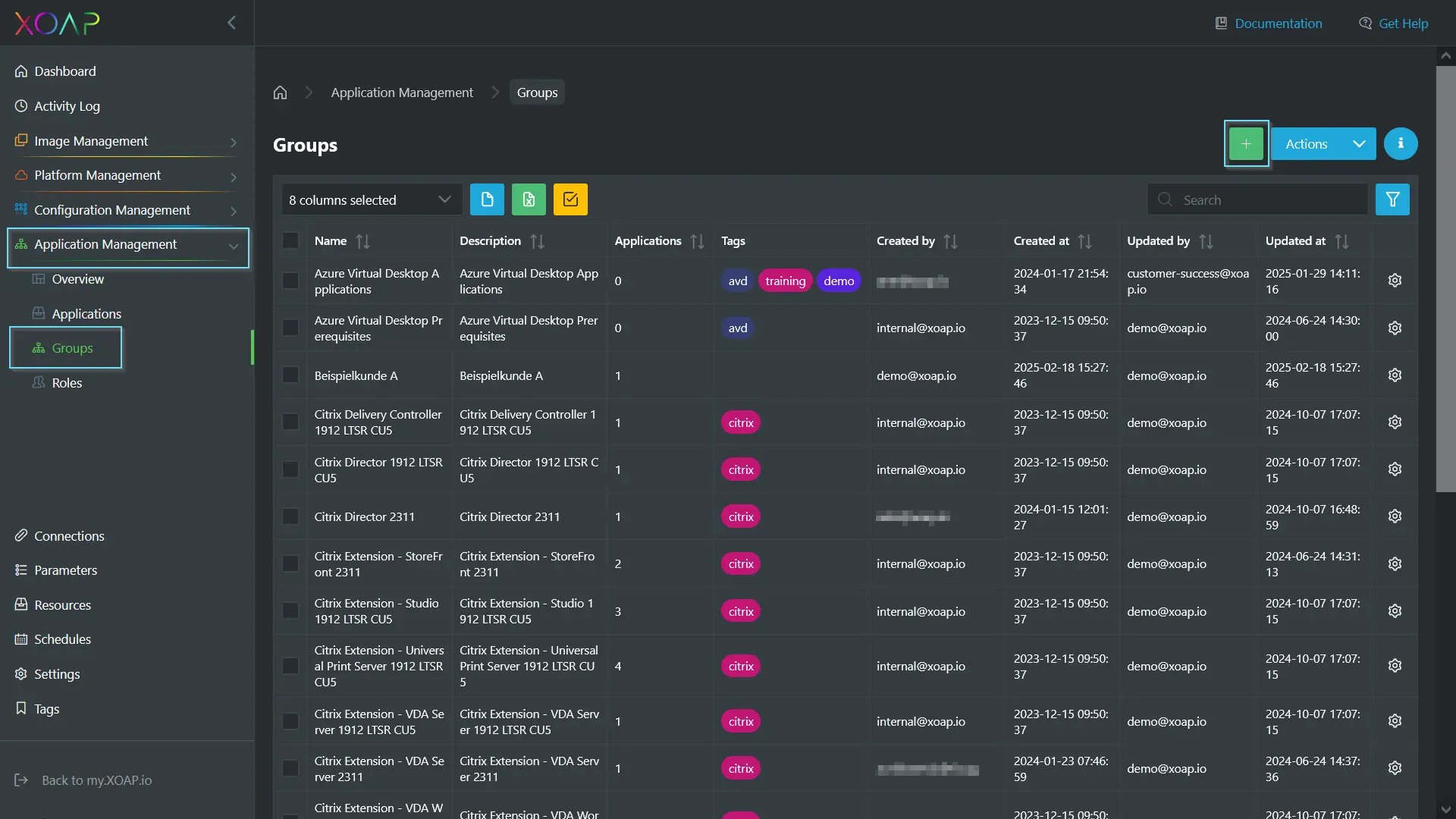
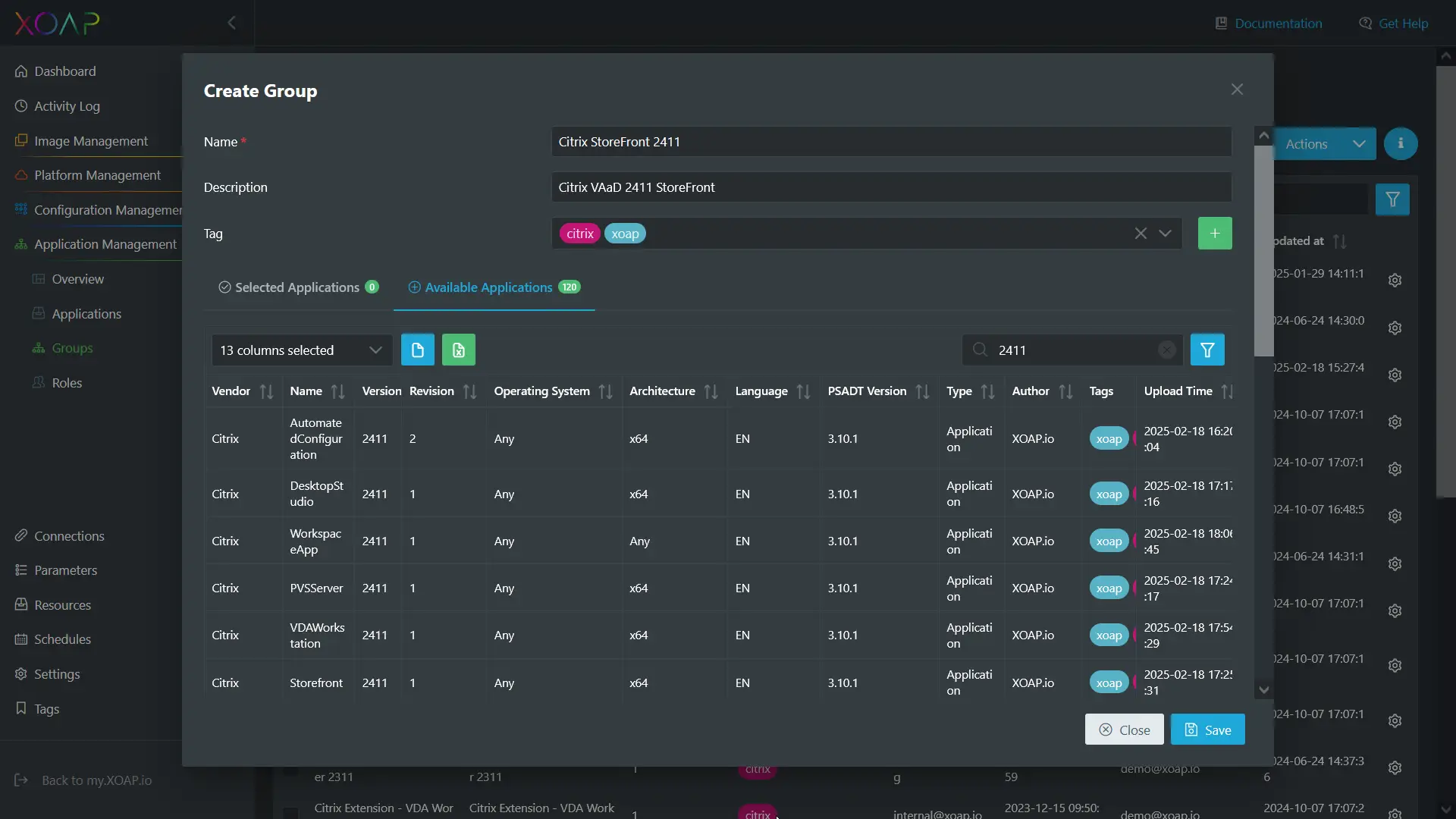
La prochaine étape est de créer un nouveau groupe sous “ Application Management ” en naviguant vers Groupes et cliquer ”+ Nouveau groupe.”
Ici, vous pouvez entrer le nom, description, et mots-clés, puis sélectionnez et ajoutez les applications souhaitées au groupe. Ajoutez autant d'applications que nécessaire. Dans le “Applications sélectionnées” onglet, vous pouvez également ajuster l'ordre d'installation si nécessaire.
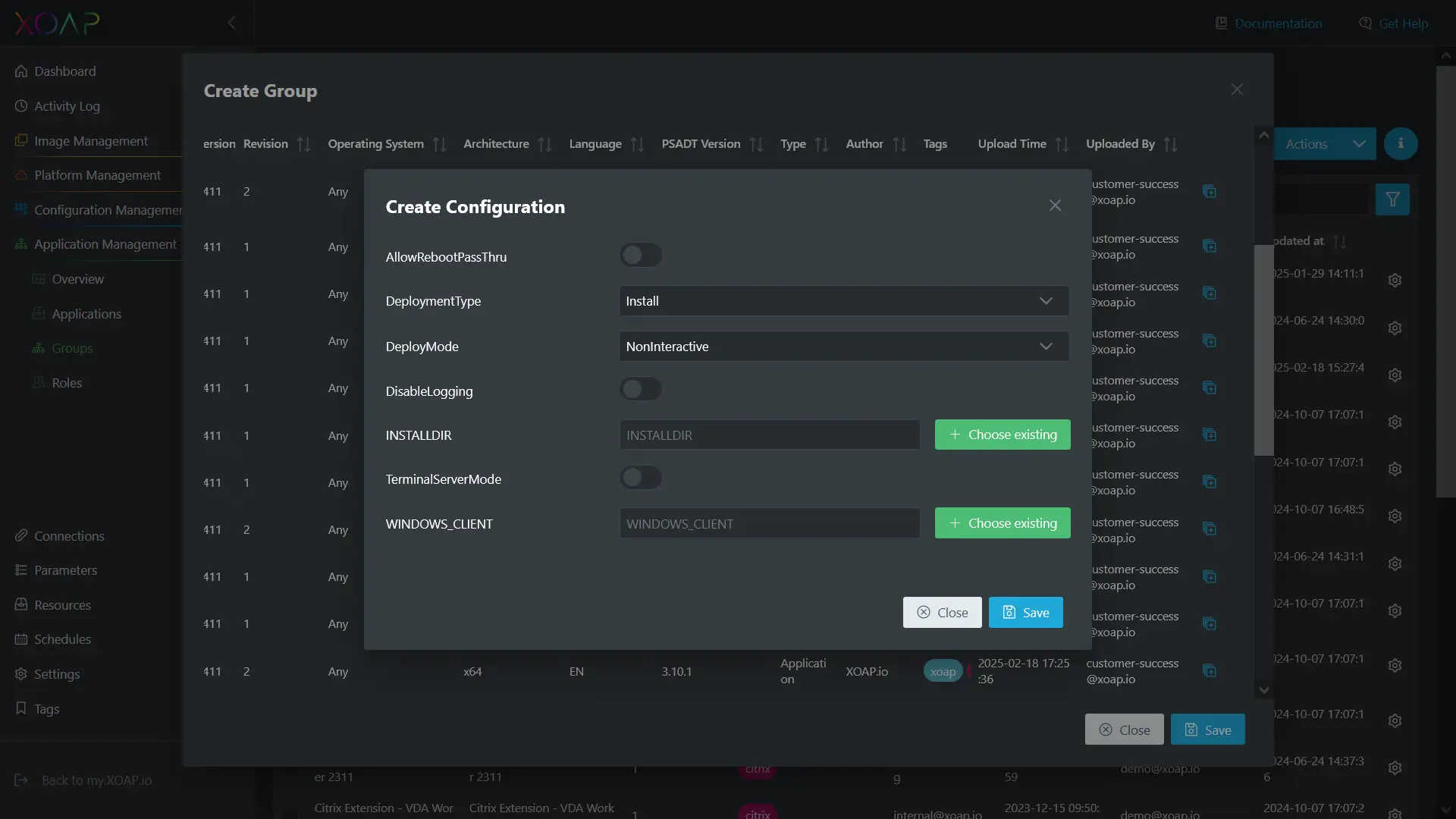
Après avoir sélectionné le forfait, le “Créer une configuration” une fenêtre s'ouvre, vous permettant de personnaliser l'installation selon vos besoins. Les éléments de configuration sont ajustés en fonction des paramètres du package d'installation sélectionné.
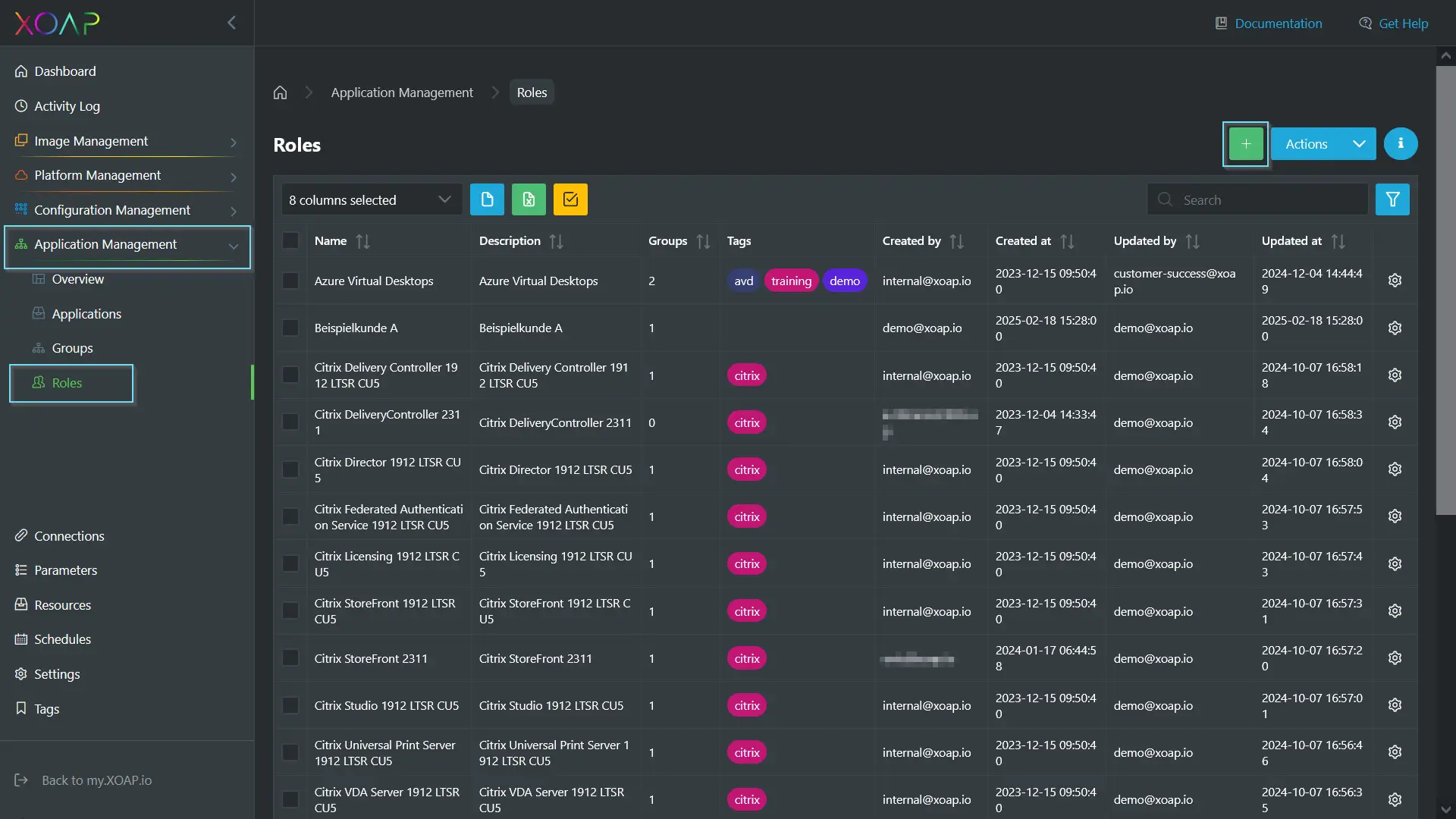
Après avoir créé le groupe, l'étape suivante consiste à définir un rôle.
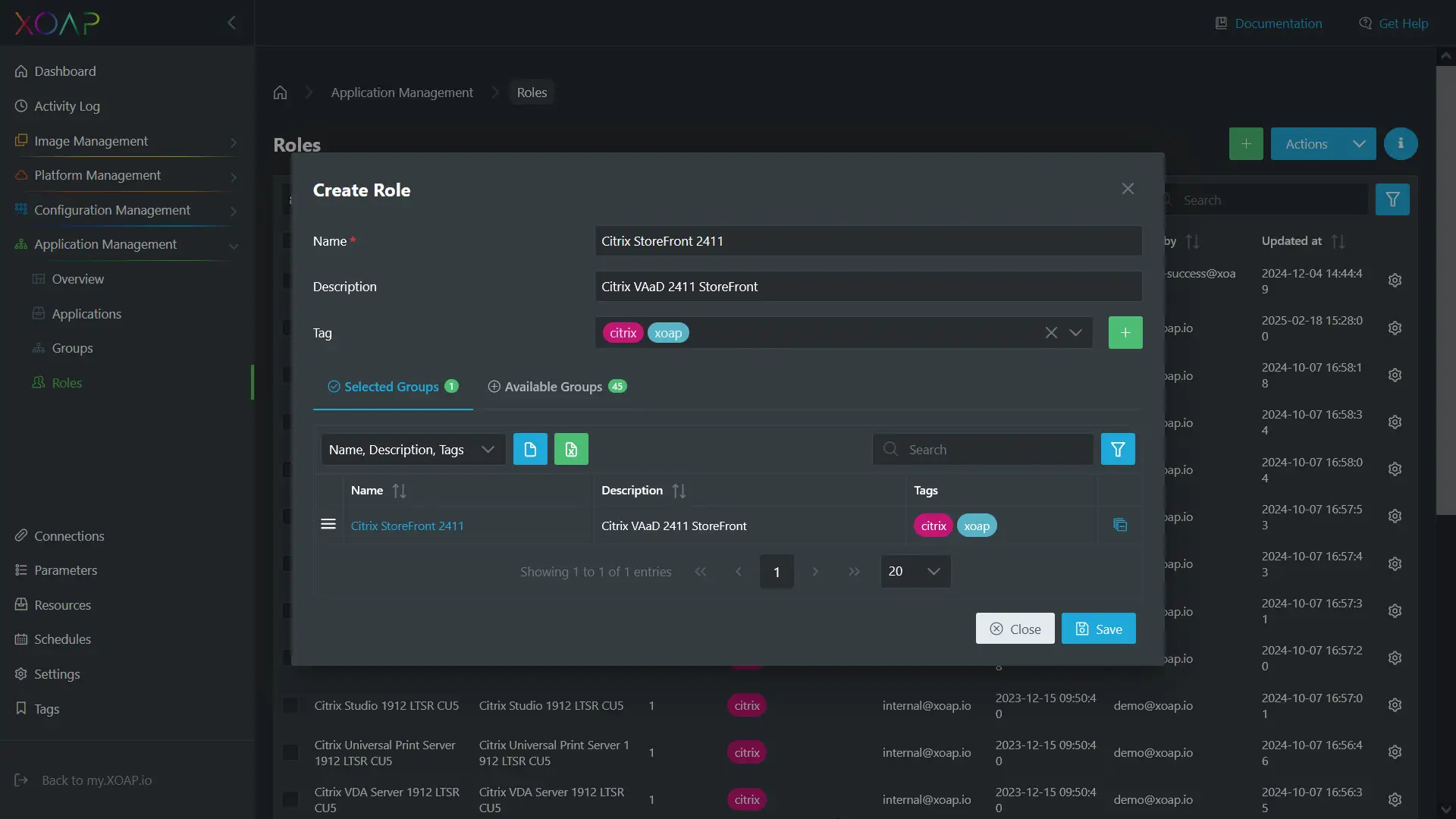
Ici, vous entrez également la nom, description, et balises. En outre, le groupe précédemment créé est ajouté.
Maintenant, naviguez vers Configuration Management → Groupes. Ici, un groupe est créé à l'aide des éléments précédemment définis à partir de Application Management, relier tout.
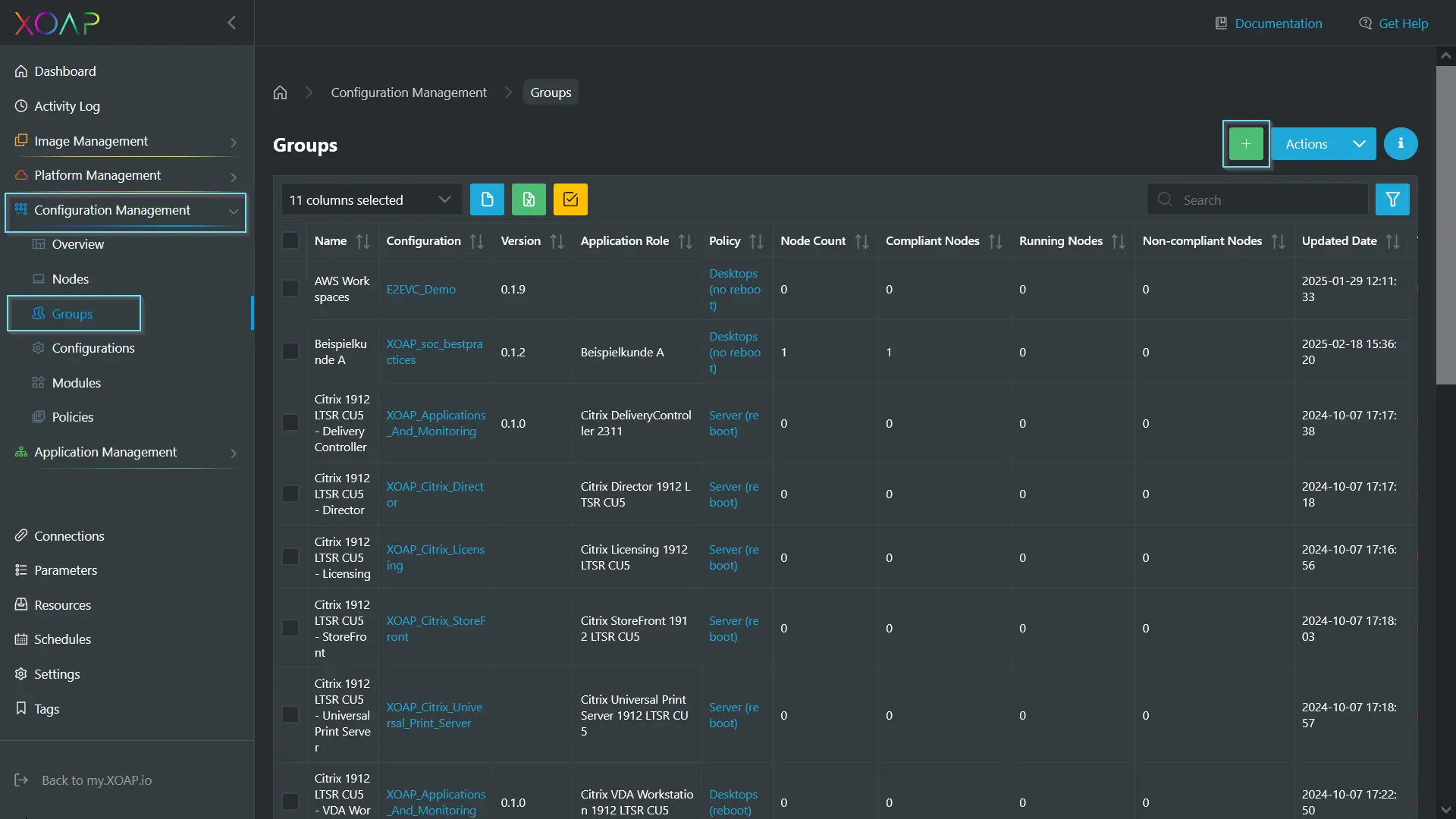
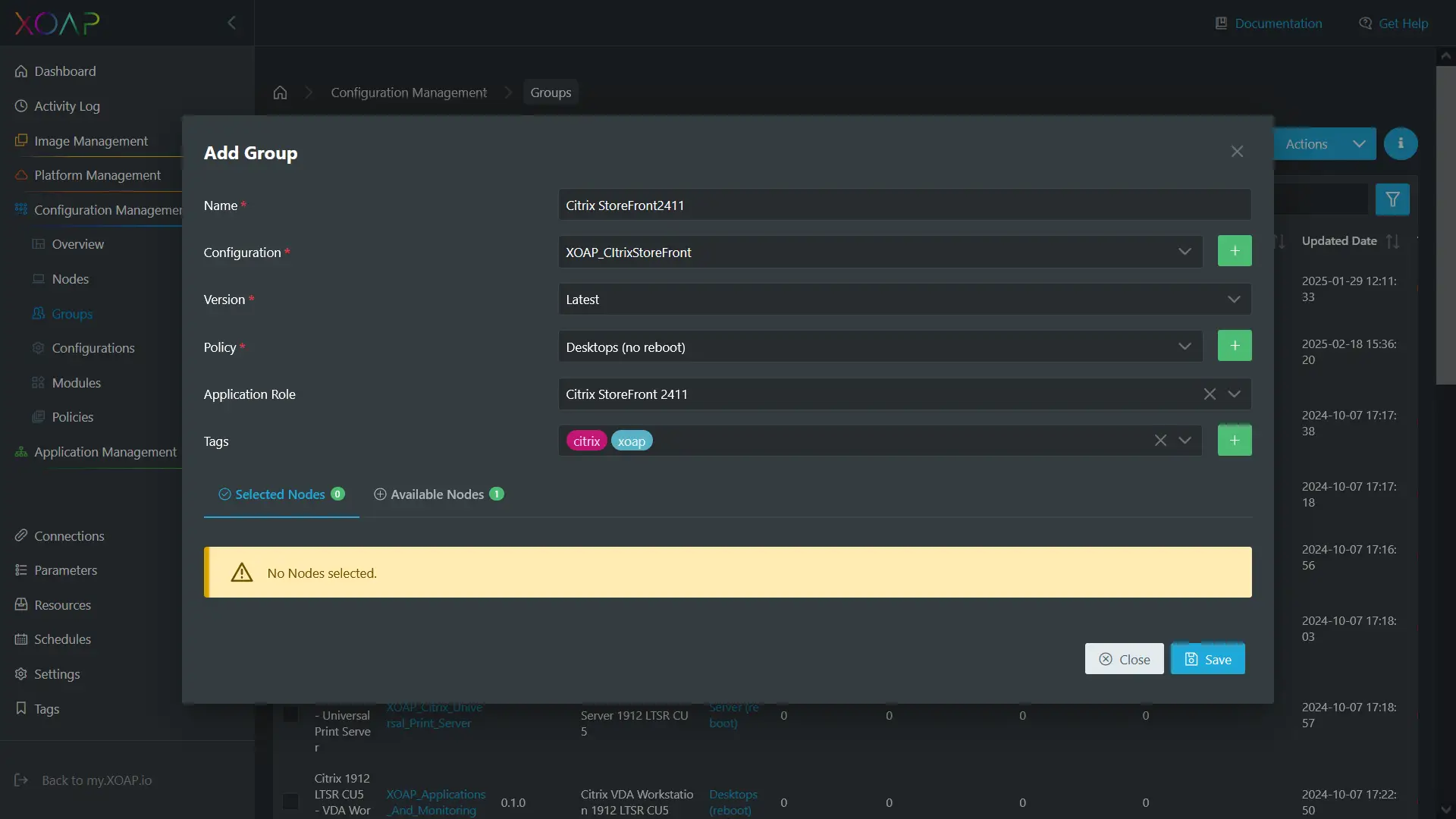
C'est ici que vous définissez le nom, configuration, politiques, rôle d'application, et balises. Vous pouvez soit créer vos propres configurations et politiques, soit utiliser les modèles préconfigurés que nous fournissons.
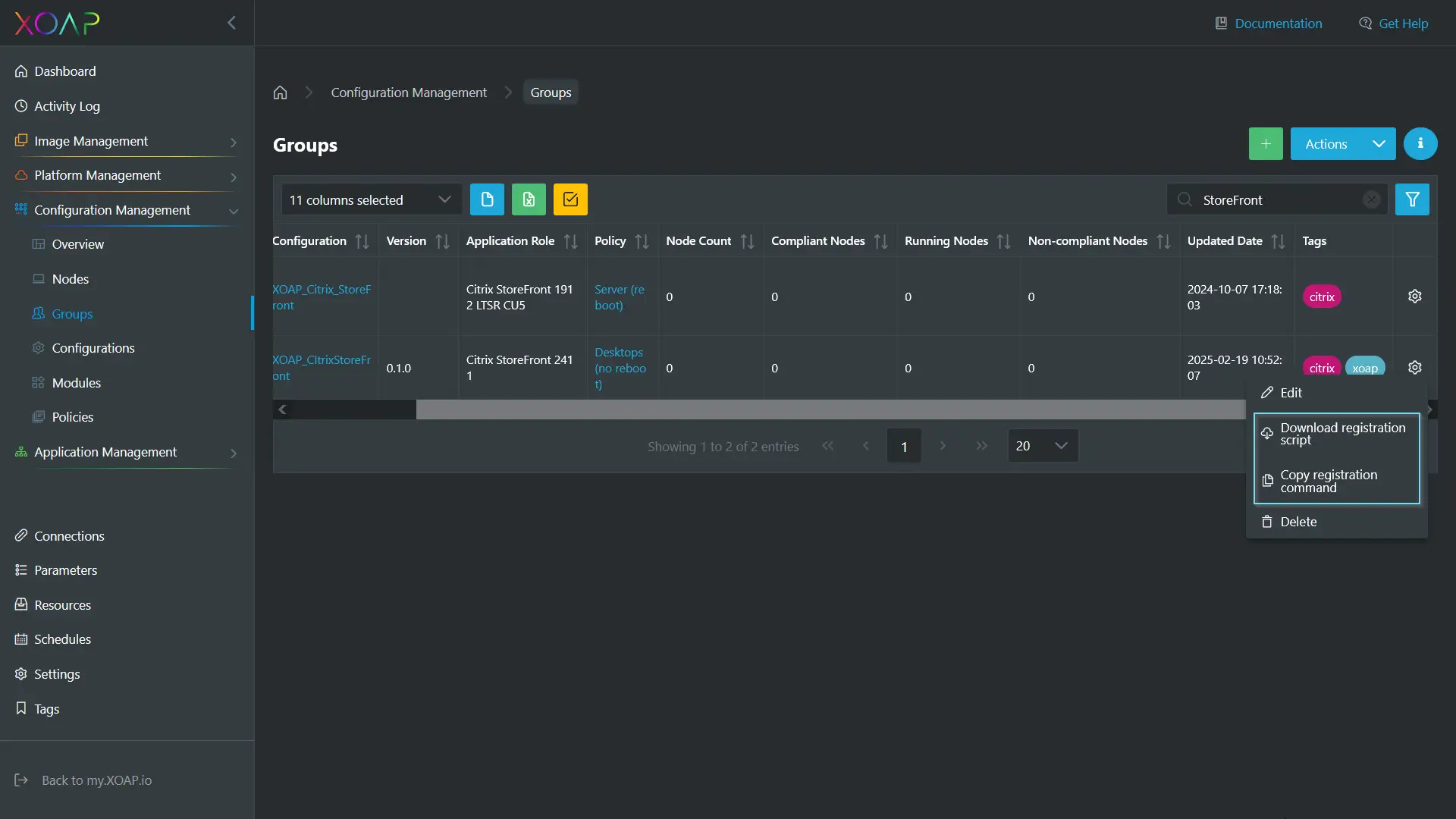
Une fois le groupe créé dans Configuration Management, faites défiler la page vers la droite pour accéder au menu « Action ». De là, vous pouvez choisir soit “Télécharger le script d'inscription” ou “Copier la commande d'enregistrement.” Le script doit être exécuté avec des privilèges administratifs dans PowerShell sur un système de votre choix.
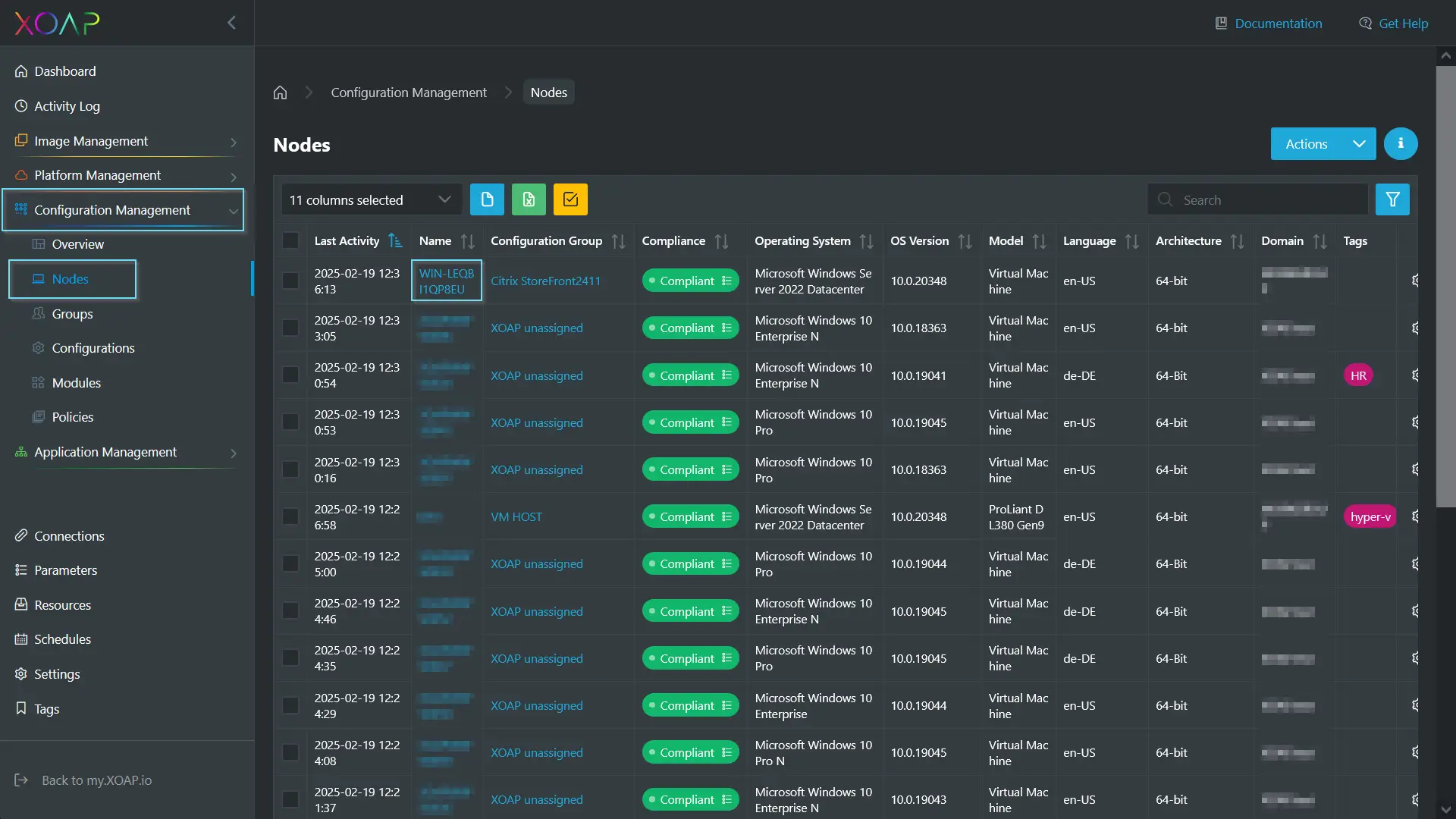
Cela établit une connexion directe à XOAP, récupérant tous les fichiers et configurations nécessaires à l'installation de l'application. Lors de l'exécution sur le système cible, l'application est installée et le système est enregistré sous Nœuds. Cela rationalise les futures distributions logicielles, vous permettant de déployer des logiciels directement depuis XOAP sur les systèmes.
Les nœuds peuvent également afficher Dernière activité, Nom, Groupe de configuration, Statut de conformité, Système d'exploitation et version, Langue du système, Architecture, et le Domaine auquel le système appartient. De plus, il indique s'il s'agit d'une machine virtuelle ou d'un autre type d'appareil.
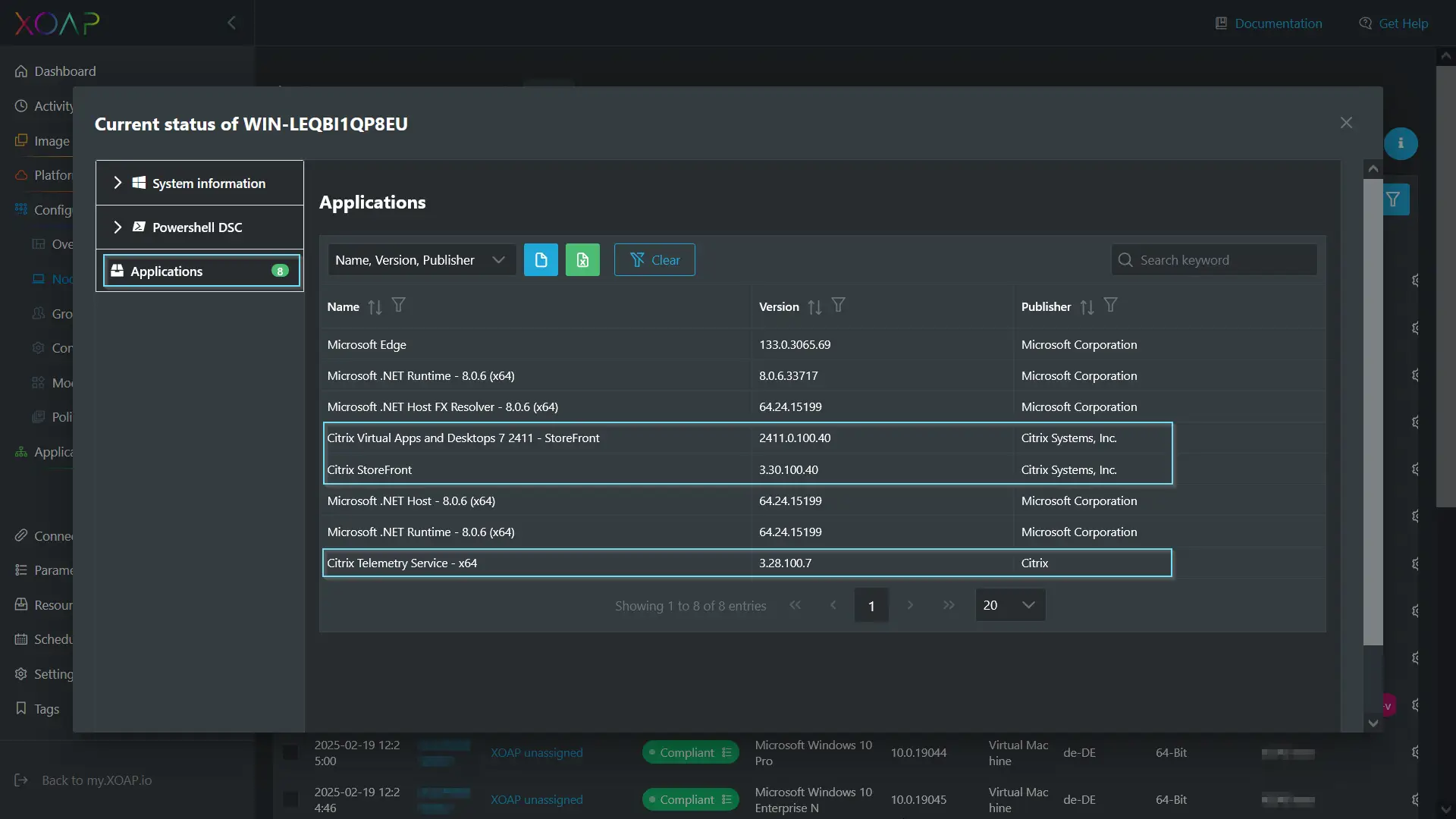
Cliquer sur le nom du nœud vous renvoie à la vue d'ensemble du nœud, où vous pouvez consulter les informations système, l'état PowerShell DSC et les applications installées. La sélection de “ Application ” affiche les applications Citrix avec leurs numéros de version.
Optimiser le cycle de vie du déploiement d'applications
D'un point de vue technique, l'automatisation du déploiement des packages Citrix VAaD à l'aide de PSADT-Package Wizard et XOAP offre des avantages significatifs en termes de cohérence et de réduction des erreurs. L'automatisation élimine le besoin de configuration manuelle et installation sur chaque machine cliente.
En outre, gestion centralisée via XOAP permet aux équipes informatiques de suivre et de gérer l'ensemble du processus en douceur, garantissant des déploiements et des mises à jour plus rapides. Cette solution est hautement évolutive, ce qui la rend idéale pour les grands environnements où les méthodes traditionnelles seraient trop lentes et encombrantes. Dans l'ensemble, cette approche optimise le cycle de vie du déploiement des applications, réduit les frais généraux et améliore la fiabilité du système.